The on-prem infrastructure console
One console.Every platform.On-prem.
 and 7 more
Monitoring, right-sizing, capacity planning and compliance in one console, installed in your network where your data stays.
- 8
- platforms in one inventory
- 30 days
- of real usage behind every sizing call
- 12 months
- of capacity runway, per cluster
- 100%
- on your premises
Eight consoles.
One inventory.
Every provider has its own console, its own alerts and its own numbers. “Where are we on capacity?” takes an afternoon and ends in a spreadsheet. Float connects to each of them and puts everything side by side.
| Name | Platform | Type | Usage | |
|---|---|---|---|---|
| NTE-PROD-01 | | Cluster | 70% | |
| app-erp-prod-254 | | VM | 93% | |
| nutanix-cluster-17 |  | Cluster | 41% | |
| hv-node-02-01 |  | Host | 88% | |
| pve-cluster-02 |  | Cluster | 95% | |
| web-prod-01 |  | EC2 instance | 34% | |
| vm-analytics-prod |  | VM | 58% | |
| checkout-api |  | Deployment | 62% | |
| vol_backup_01 |  | Volume | 81% |
From one inventory
to every decision.
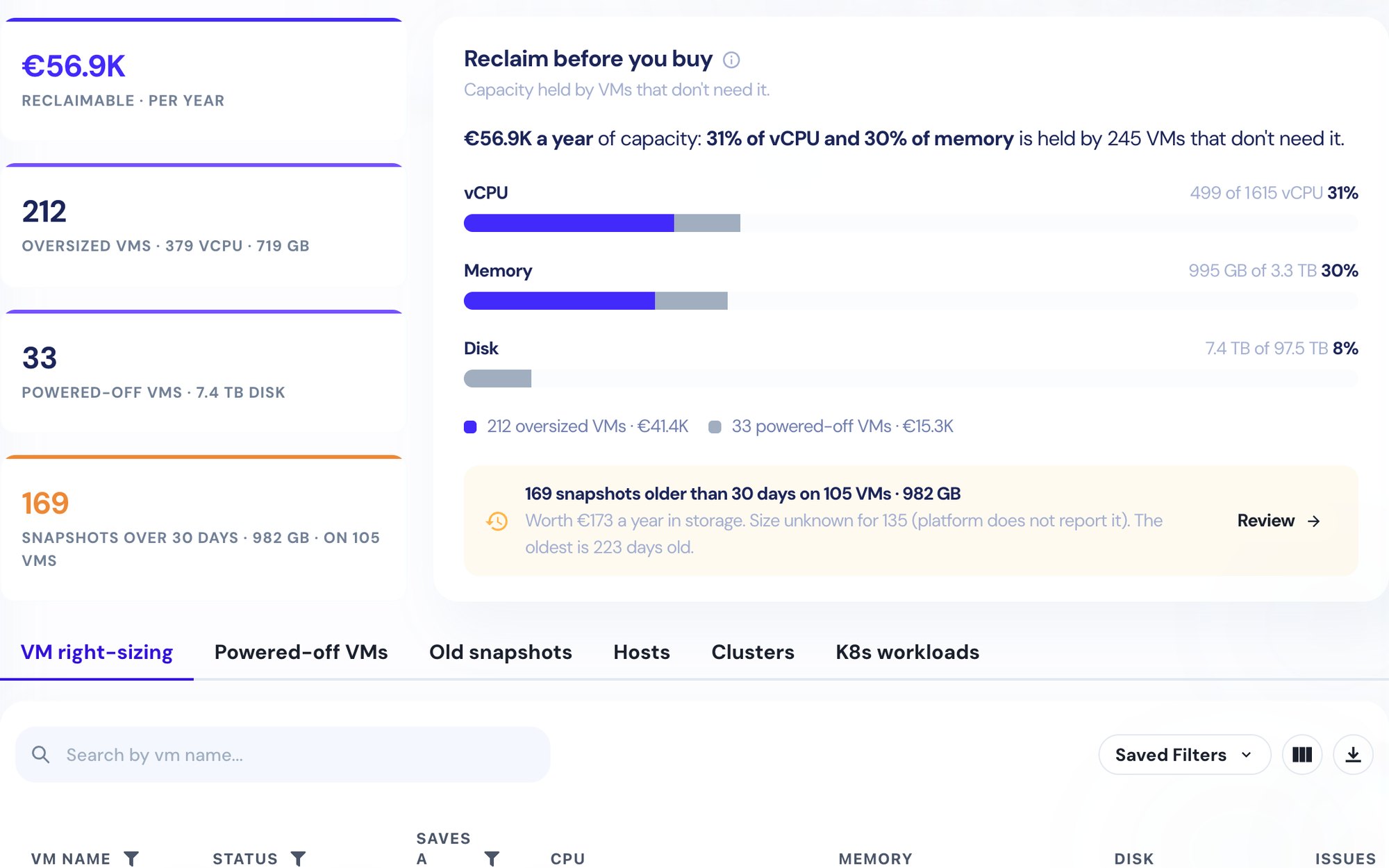
Five jobs that used to take five tools and a spreadsheet. Each one reads the same live inventory, so every team sees the same numbers.
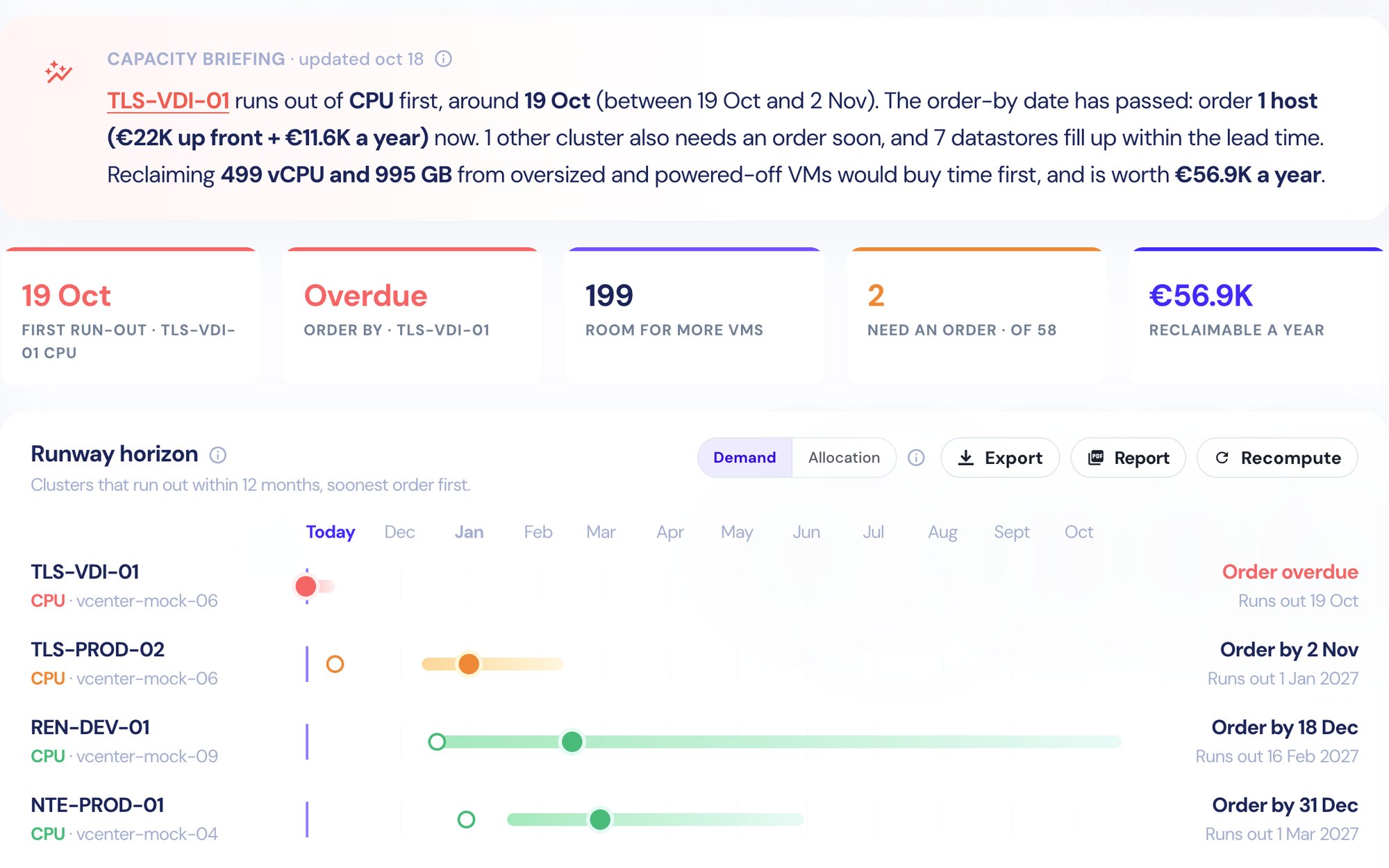
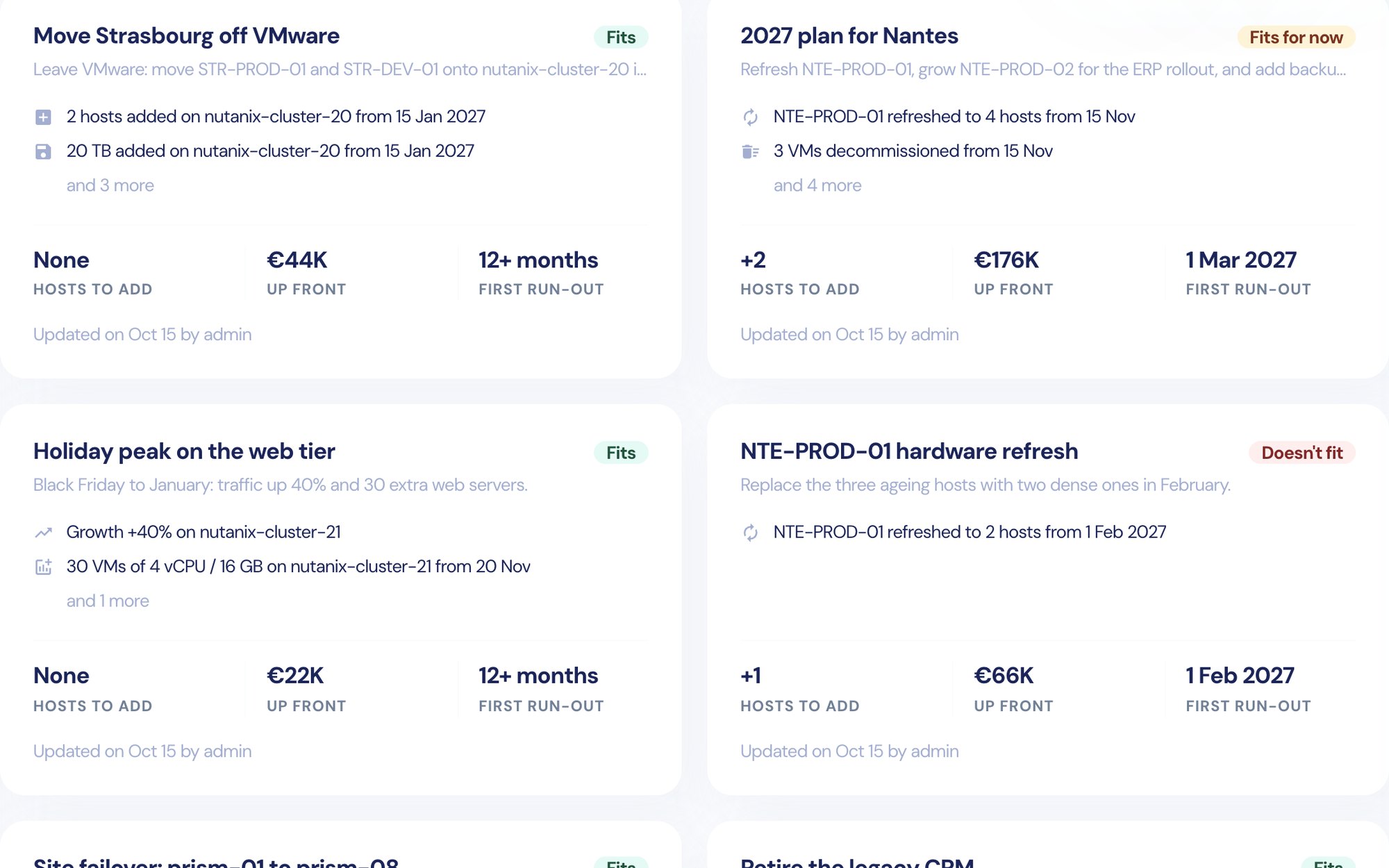
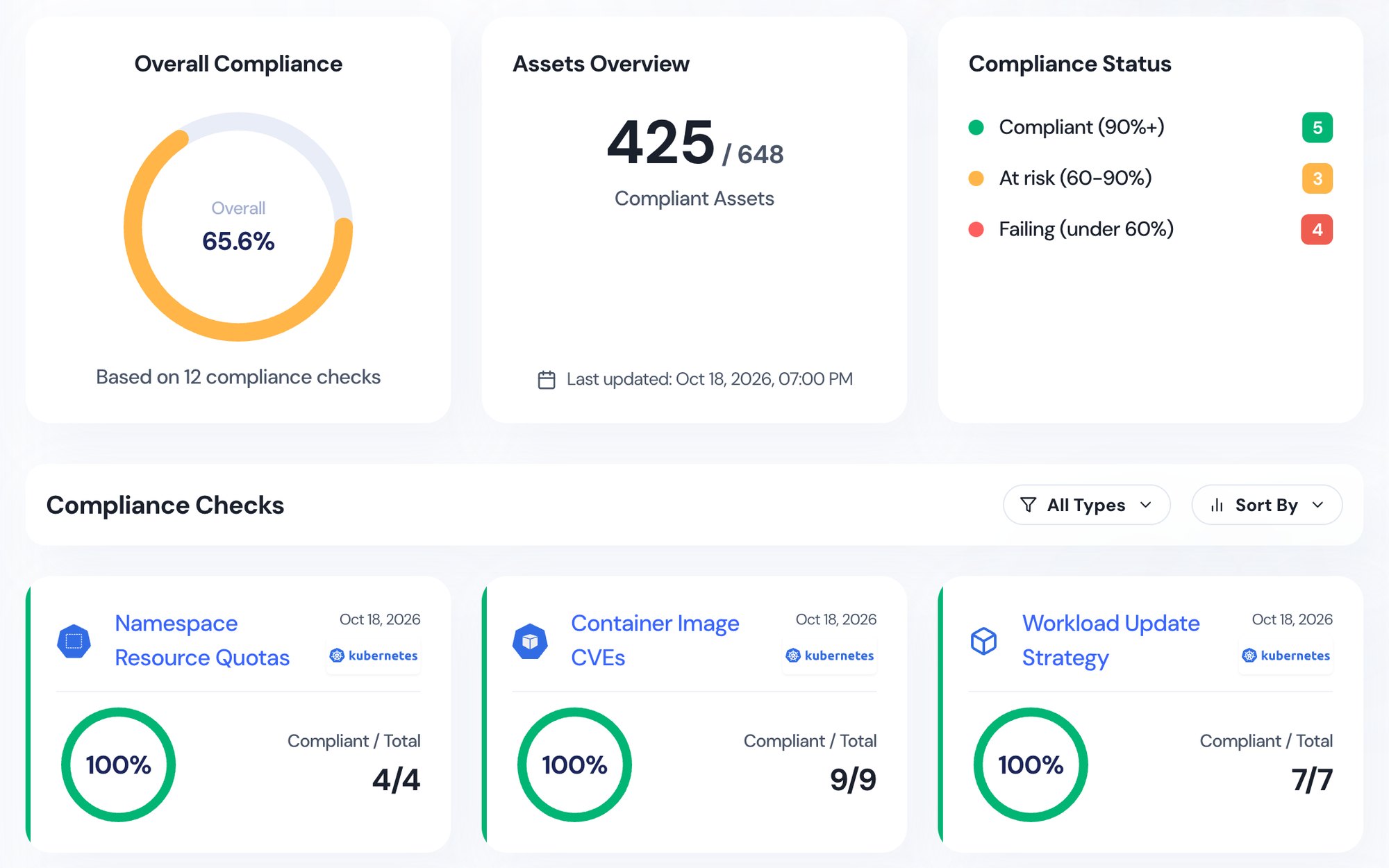
Know what changed overnight.
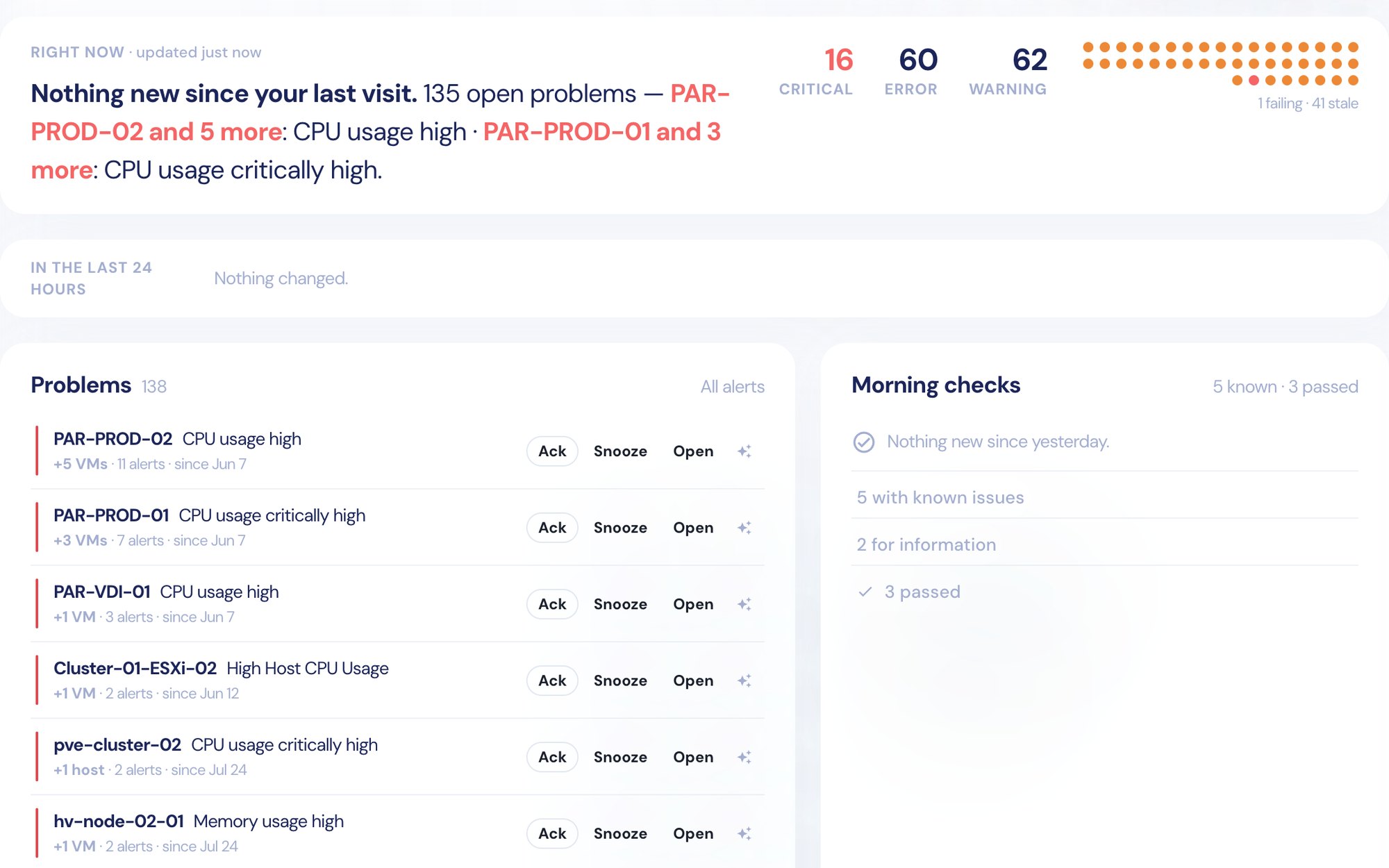
Command Center ranks what needs you right now, across every provider. The morning check shows only what is new since yesterday.
- Problems grouped by asset, with Ack and Snooze
- Five detection modes and custom alert rules
- Morning checks that only show what changed
Everything else.
Already built in.
The day-to-day pieces of running an estate, on the same inventory and behind the same login.
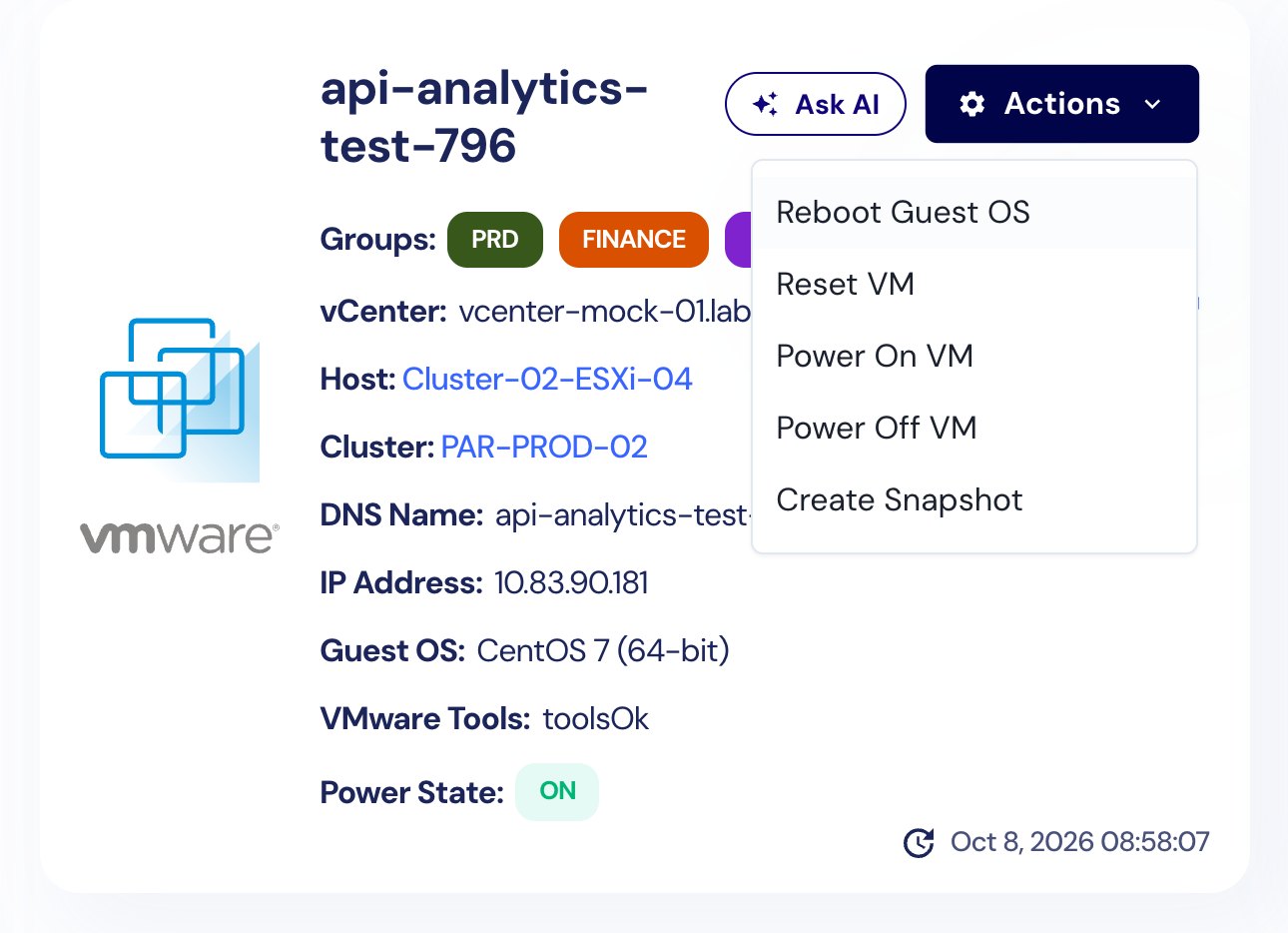
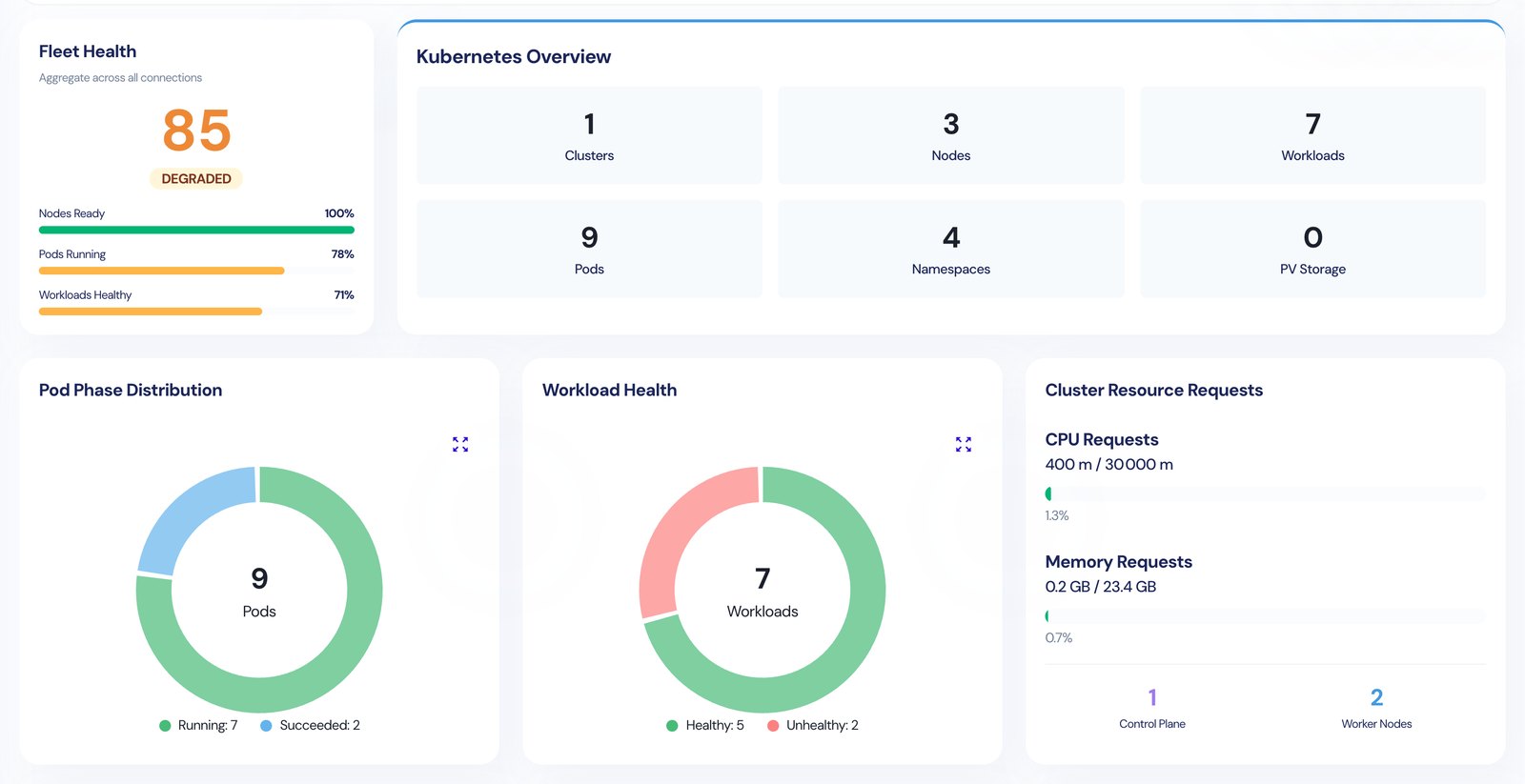
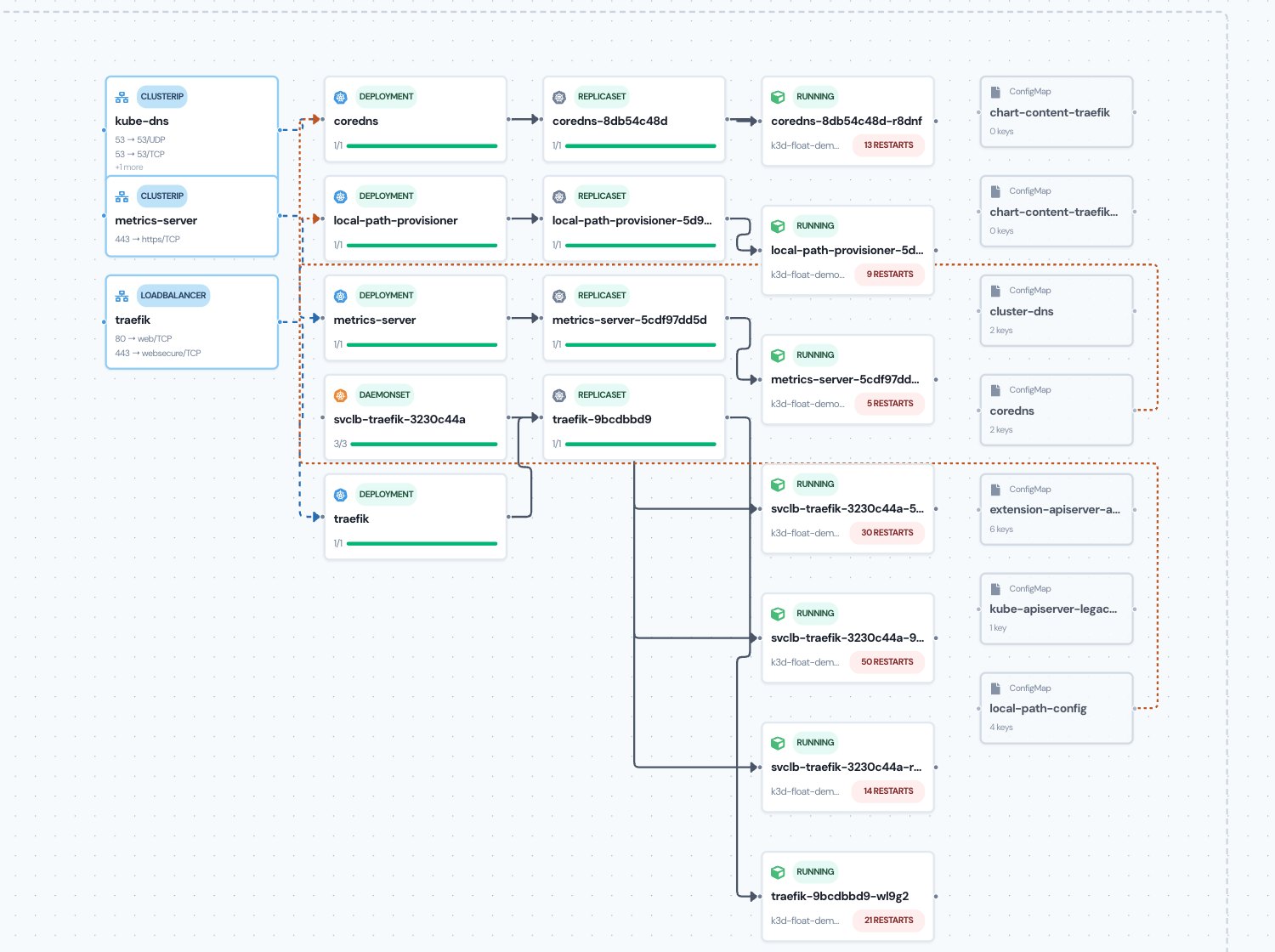
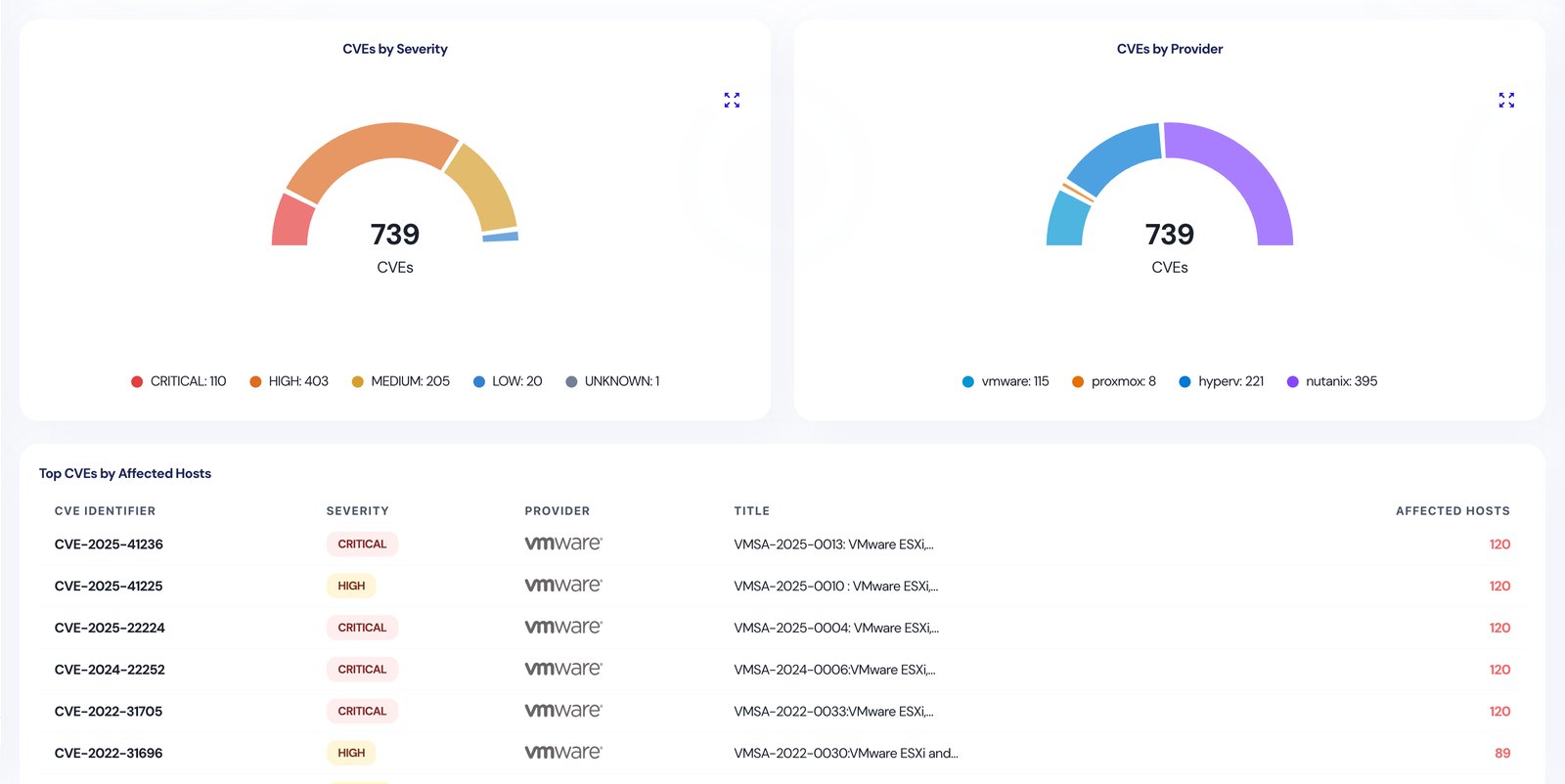
Also: LDAP sign-in, users and roles, a live task dock, scheduled jobs, NetApp storage and CSV export on tables.
Ask your estate.
AI that stays on-prem.
Ask Float is an AI assistant built into the console. Ask it about live data, or about your own runbooks, wikis and procedures: an internal wiki that answers back.
- Live data
- Inventory, forecasts and alerts as they are now, not a stale export.
- Your documents
- Upload runbooks, wikis and procedures. Every answer cites its sources.
- Read-only, RBAC-scoped
- It sees what the user can see and changes nothing.
- Your model
- A local model for air-gapped sites, or a hosted one if you prefer.
Which PROD VMs are over-provisioned and have an active alert?
Two VMs match. Both are oversized against 30 days of usage and carry a WARNING memory ballooning alert.
Sources: Inventory · Right-sizing · Alerts
Live answers come from Float’s demo environment; the documents are examples.
Installed in your network.
Your data stays there.
Deploy Float once, on your own servers. It reads every platform through its API, so there is no agent to install on hosts or VMs. Pull the cable and it keeps working.
- Inventory sync4s ago
- Capacity forecasts12s ago
- Compliance checks27s ago
- Ask Float answers2s ago
Agentless
Nothing to install on your hosts, VMs or clusters. Float reads each platform through its own API, and WinRM for Hyper-V.
One deployment
Float installs once on a server or VM in your data centre. Add a service account per platform and the inventory fills in. No SaaS tenant to trust.
Works air-gapped
Inventory, forecasts and compliance need no route to the internet. Point Ask Float at a local model and it does not either.
Your choice for AI
Use a local model and nothing leaves. Choose a hosted one and only the question and the data needed to answer it are sent.
One command.
Then it reads your estate.
Float ships as one signed release for one Linux server. No agents on your hosts, nothing to download during the install, no account with us to create.
Deploy
Copy the release to a Linux VM and run floatctl install. It asks for a hostname, your estate’s size and a certificate, then starts Float.
Connect
Add each platform with a service account: vCenter, Prism, Proxmox, Hyper-V, Kubernetes, NetApp, AWS or Azure. Nothing is installed on them.
Use it
The inventory fills in on the first sync. Forecasts and right-sizing sharpen as usage history builds up.
Try Float
on your own estate.
We’re opening a limited number of Design Partner places for infrastructure teams who want to run Float on their own estate and see their own numbers.
Ideal if you run VMware, Nutanix, Hyper-V or Proxmox, especially in a regulated sector where your data has to stay on-premise.
What you get
- Float installed on your own estate, with the founder at your side for the setup
- Preferential pricing for your first year
- A direct line to the founder and real weight on the roadmap
What we ask
- Regular, honest feedback on what works and what doesn’t
- A reference, if Float earns it
Rather write?
We read everything.
Tell us about your estate: the platforms you run, roughly how big, and what you would want Float to answer first. You will hear back from the founder, not a sales sequence.